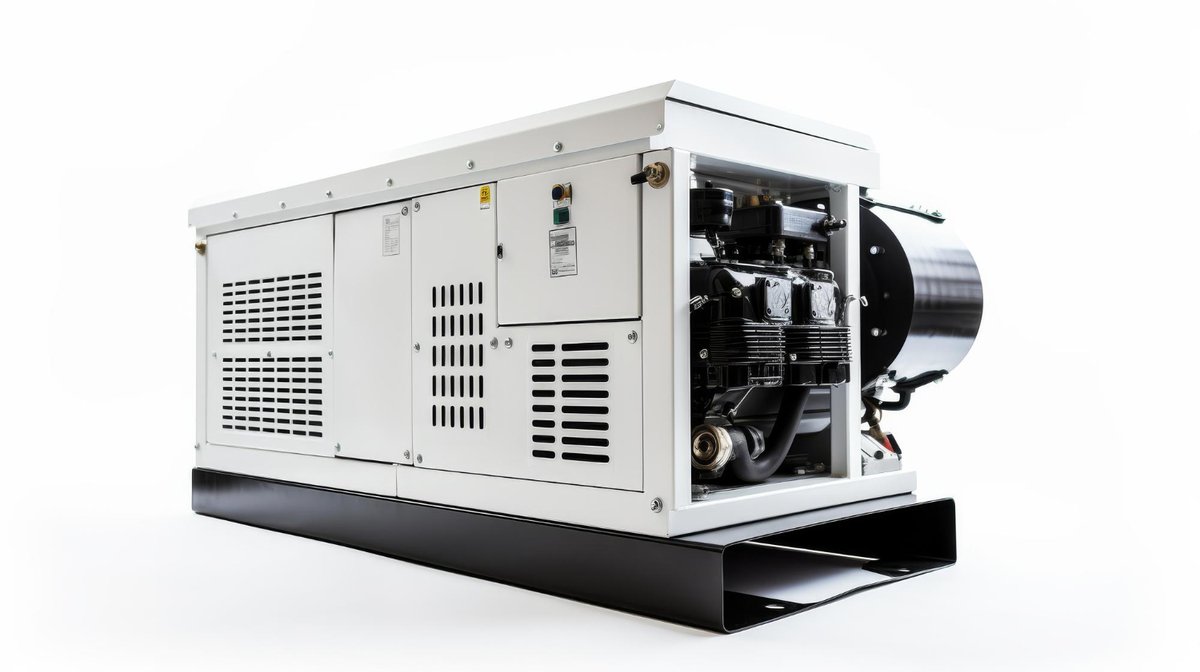
Ensuring your indoor generator is ready when the lights go out isn't just about owning one; it's about mastering its Setup, Maintenance & Maximizing Indoor Generator Lifespan. Think of it as investing in your home's resilience – a well-cared-for indoor generator becomes a steadfast ally, offering peace of mind and reliable power for years to come. Neglect, on the other hand, can turn this essential device into an expensive paperweight just when you need it most. This guide will walk you through the practical steps to not only get your generator up and running correctly but also to keep it performing optimally, extending its life far beyond basic expectations.
At a Glance: Key Takeaways for Indoor Generator Longevity
- Optimal Environment: Store and operate your generator in a cool, dry, stable place, away from direct sunlight, moisture, and extreme temperatures.
- Initial Care Matters: Fully charge your new generator before its first use to calibrate its battery management system.
- Battery Health is King: Avoid consistent deep discharges and keep the battery within its recommended charge range (often 20-80% for long-term health, but always check your manual). Perform regular partial discharge/recharge cycles.
- Stay Clean & Cool: Regularly clean ventilation ports and ensure adequate airflow during operation to prevent overheating, a silent killer of electronics.
- Software Updates: Keep your generator's firmware updated to ensure optimal performance, efficiency, and safety.
- Regular Testing: Periodically test your generator under a moderate load to ensure it's functioning correctly and to exercise its components.
- Understand Your Unit: Familiarize yourself with your specific model's battery chemistry, cycle life, and warranty to set realistic expectations and follow tailored care instructions.
Why Longevity Matters: More Than Just Power
When you invest in an indoor generator – typically a portable power station, battery backup, or solar generator – you're buying security. It’s an insurance policy against outages, a power source for off-grid adventures, or a vital backup for medical equipment. But this investment is only as good as its operational life. A generator that fails prematurely is a wasted expense and a source of frustration.
Maximizing its lifespan isn't just about saving money on replacement costs; it's about reliable preparedness. You need to trust that your unit will switch on when you need it most, whether during a storm, a planned camping trip, or an unexpected grid failure. A diligent approach to your guide to indoor generators setup and maintenance ensures this trust is well-placed.
Understanding Your Indoor Generator's Anatomy
Unlike their noisy, fume-spewing gasoline counterparts, indoor generators operate silently and produce no emissions, making them safe for indoor use. They predominantly rely on advanced battery technology. Knowing their key components helps you understand why certain maintenance practices are crucial:
- Battery Pack: The heart of the system. Modern indoor generators mostly use Lithium-ion (Li-ion) variants like NMC (Nickel Manganese Cobalt) or LiFePO4 (Lithium Iron Phosphate). Their chemistry dictates charge cycles, optimal storage, and overall lifespan.
- Inverter: Converts the battery's DC power into the AC power your household appliances use. Overloading can stress and shorten its life.
- Battery Management System (BMS): The "brain" that monitors voltage, current, temperature, and overall battery health, protecting it from overcharge, over-discharge, and overheating. A good BMS is vital for longevity, but user habits still play a role.
- Cooling System: Fans and vents dissipate heat generated during charging and discharging. Dust accumulation or blocked vents can severely impact performance and lifespan.
- Charging Ports: Inputs for AC wall chargers, solar panels, and car adapters.
- Output Ports: AC outlets, USB-A, USB-C, DC car ports for connecting devices.
The Foundation: Proper Setup for a Long Life
The journey to a long-lasting indoor generator begins the moment you unbox it. Proper setup isn't just about plugging it in; it's about establishing the right environment and initial habits that set the stage for years of reliable service.
Location, Location, Location: Your Generator's Home
Where you keep and operate your indoor generator has a profound impact on its health. This isn't just about convenience; it's about protecting sensitive electronics and battery chemistry from environmental stressors.
- Temperature Control: Extreme temperatures are the enemy of batteries. Avoid garages that get scorching hot in summer or freezing cold in winter. Aim for a stable room temperature, ideally between 68°F and 77°F (20°C and 25°C). Operating or storing the unit outside this range can degrade the battery faster and reduce efficiency.
- Ventilation is Key: Even silent generators produce heat, especially during charging or heavy use. Ensure the unit has ample space around its ventilation ports (usually on the sides or back) for unimpeded airflow. Never store it in a cramped cabinet or against a wall that blocks the vents. Good air circulation prevents overheating, which is a major contributor to battery degradation and component failure.
- Stable, Dry Surface: Place your generator on a flat, stable surface where it won't be accidentally knocked over or vibrate excessively. Keep it off the floor if there's any risk of flooding or dampness. Moisture is catastrophic for electronics.
- Away from Hazards: Keep the unit clear of direct sunlight, heaters, flammable materials, and sources of excessive dust or corrosive fumes. Direct sunlight will rapidly increase its internal temperature, and dust can clog cooling systems.
Initial Charge & Calibration: The First Steps to Success
Think of a new generator like a new smartphone – its first charge is important.
- Charge to 100%: Most manufacturers recommend fully charging your indoor generator to 100% right out of the box, even if it arrives with some charge. This initial full charge helps to calibrate the BMS, giving it an accurate baseline for monitoring battery capacity and health throughout its life. Skipping this step can sometimes lead to inaccurate battery readings later on.
- Understand Your BMS: Your generator’s BMS is constantly working to protect its battery. It manages charging rates, balances cell voltages, and prevents over-discharge. Trust its readings, but also understand that proper user habits complement its protective functions.
Connecting with Care: Preventing Day-One Damage
How you initially connect devices also contributes to longevity.
- Appropriate Cables & Adapters: Always use the charging cables and adapters supplied by the manufacturer or certified replacements. Using incompatible chargers can damage the battery or charging circuitry.
- Avoid Overloading from the Start: Before plugging in your most power-hungry devices, understand your generator's rated output (continuous and surge). Gradually introduce devices and monitor the power draw on the display. Overloading the inverter, even for a brief moment, can cause undue stress and reduce its lifespan. It's better to underload slightly than to push the limits repeatedly.
The Lifeline: Ongoing Maintenance Essentials
Proper setup gets you started, but consistent maintenance is what truly extends your indoor generator's working life. This isn't about complex repairs; it's about simple, regular habits.
Battery Health: The Heart of the Machine
The battery is the most expensive and critical component. Its care dictates the unit's longevity.
- Optimal Charge Cycles (The 20-80 Rule): For many Li-ion batteries, avoiding constant full charges to 100% and deep discharges below 20% can significantly extend cycle life. Ideally, keep your battery between 20% and 80% for day-to-day standby and light use. This reduces stress on the battery cells. However, for emergencies, having it at 100% is fine, but don't store it perpetually at full charge. Always check your specific generator's manual, as some newer LiFePO4 units are designed for more frequent 0-100% cycles.
- Regular Discharge/Recharge (Exercise the Battery): Batteries, especially Li-ion, don't like to sit idle for extended periods at one charge level. If your generator is in storage, try to discharge it to about 50-60% every 3-6 months and then recharge it. This "exercises" the battery, helping to maintain its capacity and prevent cell degradation.
- Long-Term Storage Practices: If you plan to store your generator for several months, ensure it's charged to around 50-60%. Storing it at 0% can lead to "deep sleep" mode where it's difficult to revive, and storing it at 100% can accelerate capacity loss over time. Store it in a cool, dry place within the recommended temperature range. Periodically check its charge level and top it up if needed.
- Understanding Battery Chemistries:
- NMC (Nickel Manganese Cobalt): Common in many older power stations. Offers high energy density (more power for less weight) but generally has a shorter cycle life (500-800 cycles to 80% capacity) and is more sensitive to temperature extremes.
- LiFePO4 (Lithium Iron Phosphate): Increasingly popular in newer, higher-end units. Offers superior cycle life (2,500-3,500+ cycles to 80% capacity), greater thermal stability, and can often be stored at 100% for longer without significant degradation. If you're buying a new unit, opting for LiFePO4 can be a significant boost to potential lifespan.
Keeping it Cool: Managing Heat
Heat is the single greatest enemy of electronic components and batteries.
- Clean Vents and Fans: Over time, dust, lint, and pet hair can accumulate in the generator's ventilation ports and fan blades. This clogs the cooling system, forcing the fans to work harder and reducing their efficiency. Use a can of compressed air to periodically clear these passages. Do this outdoors or in a well-ventilated area to avoid spreading dust.
- Ensure Adequate Airflow During Operation: Reiterate the importance of keeping the generator in an open space while it's running. Don't cover it with a blanket or place it in a confined area, especially during heavy use or charging.
Software & Firmware Updates
Many modern indoor generators are essentially smart devices. Their "brains" – the firmware – control everything from charging algorithms to power output efficiency.
- Stay Updated: Manufacturers regularly release firmware updates to improve performance, fix bugs, enhance charging efficiency, and sometimes even add new features. Check your generator's companion app or the manufacturer's website periodically for available updates. Applying these updates can prevent unforeseen issues and optimize the unit's internal operations, contributing to a longer life.
Physical Integrity Checks
A robust casing protects the internal components, but regular external checks are still important.
- Inspect Cables and Ports: Look for any frayed cables, bent pins in USB or AC ports, or loose connections. Damaged cables can cause short circuits or inefficient charging. Report or replace any damaged components immediately.
- Housing Inspection: Check for cracks, dents, or signs of water ingress. Physical damage can compromise internal components and lead to failures.
- Clean the Exterior: Wipe down the unit's exterior with a dry or slightly damp cloth to remove dust and grime. Avoid harsh chemicals or abrasive cleaners.
Testing Under Load: Proving Its Readiness
You wouldn't drive a car without knowing if the engine works; treat your generator the same way.
- Simulate Outages Periodically: At least once every 1-3 months, plug in a moderate load (e.g., a lamp, a fan, or a small appliance) and let your generator run for 30-60 minutes. This ensures the inverter, battery, and cooling system are all functioning as they should. It also helps exercise the battery, especially if it hasn't been used for a while. This is also an excellent opportunity to refresh your understanding of its display and controls.
Maximizing Efficiency & Performance
Beyond basic setup and maintenance, there are practices that optimize your generator's daily operation, leading to better performance and reduced stress on its components.
Smart Charging Practices
How you charge your generator is as important as how you use it.
- Solar Charging Best Practices: When charging with solar panels, ensure they are positioned for maximum sun exposure. Avoid partial shading, which can drastically reduce efficiency. Keep panels clean. Most generators have an MPPT (Maximum Power Point Tracking) controller which optimizes solar input; ensure your panels match the generator's voltage input range.
- AC Charging Considerations: Always use the dedicated AC charging brick provided. If it's a fast charger, be aware that while convenient, consistently rapid charging can generate more heat and potentially stress the battery more than slower charging. For everyday topping off, slower charging can be gentler.
Load Management: The Overload Trap
One of the quickest ways to shorten your generator's life is by consistently overloading it.
- Understanding Surge vs. Continuous Power: Every generator has a continuous power rating (what it can supply indefinitely) and a surge power rating (a temporary burst it can handle for starting motors). Always ensure the total continuous wattage of your devices is below the generator's continuous rating. Pay attention to starting watts for appliances with motors (refrigerators, blenders) – these can be significantly higher than their running watts.
- Prioritizing Essential Devices: In an outage, prioritize what truly needs power. Don't plug in non-essential, high-draw appliances just because you can. This extends the generator's runtime and reduces strain.
- Avoiding Chaining Power Strips: While you can plug a power strip into your generator, avoid daisy-chaining multiple strips or plugging a power-hungry device into a strip that’s also powering other items. This can lead to overloading the generator's individual AC outlets or the inverter itself.
Environmental Factors Revisited
Even with good initial placement, environmental factors can creep in.
- Humidity: High humidity can contribute to corrosion over time, especially in coastal areas. If you live in a humid environment, consider a dehumidifier for the room where your generator is stored.
- Dust: Beyond clogging vents, fine dust can work its way into internal components, causing short circuits or hindering electrical contacts. Keep the area around your generator as clean as possible.
- Extreme Temperatures (Operation): If you must operate your generator in very hot or cold conditions, keep an eye on its temperature display (if available) and adjust load or ventilation accordingly. In extremely cold temperatures, battery capacity will temporarily decrease, and charging might be slower.
Troubleshooting Common Lifespan Killers
Recognizing potential issues early can prevent major problems.
- Overcharging/Undercharging: While the BMS largely prevents catastrophic overcharge/undercharge, consistent user habits of constantly leaving a unit plugged in at 100% or draining it to 0% repeatedly can still put long-term stress on the battery. Adhere to the 20-80% rule for storage if recommended by the manufacturer.
- Excessive Heat Exposure: This is often a user-caused issue – blocked vents, direct sunlight, operating in a hot enclosure. If your unit feels unusually hot to the touch or its fans are constantly running at high speed, investigate the cause.
- Physical Damage: Dropping the unit, liquid spills, or puncturing the battery can lead to immediate failure or a significantly reduced lifespan. Handle your generator with care.
- Using Incompatible Accessories: Stick to manufacturer-approved or certified third-party cables, solar panels, and adapters. Using unapproved accessories can damage ports, charging circuitry, or the battery itself.
When to Call for Help (and When Not To)
Knowing when to seek professional assistance versus attempting a DIY fix is crucial.
- DIY Limits: For tasks like cleaning vents or updating firmware, you're typically safe to perform them yourself. However, anything involving opening the casing, tampering with internal wiring, or attempting battery replacement should be left to certified technicians.
- Warranty Considerations: Attempting unauthorized repairs will almost certainly void your warranty. Before you pick up a screwdriver, check your warranty terms and contact customer support for guidance on issues beyond basic maintenance.
- Signs that Warrant Professional Help: If your generator is not holding a charge, displaying error codes, making unusual noises, or showing signs of physical battery swelling, disconnect it immediately and contact the manufacturer or a qualified service center.
Decoding Specifications: What Do They Tell You About Lifespan?
Understanding your generator's technical specifications can give you a clearer picture of its expected lifespan and how to manage it.
- Cycle Life Ratings: This is a crucial number. It tells you how many full charge-discharge cycles the battery is rated for before its capacity drops to a certain percentage (e.g., "3000 cycles to 80% capacity"). Higher cycle counts (like those for LiFePO4 batteries) indicate a much longer operational life.
- Warranty Duration: A longer warranty (e.g., 5 years instead of 2) often signals a manufacturer's confidence in the product's durability and component quality. It also provides a safety net.
- Battery Chemistry Type: As discussed, LiFePO4 generally offers a superior lifespan compared to NMC for stationary or backup power applications due to its greater stability and higher cycle count.
Beyond the Basics: Advanced Tips for the Proactive User
For those who want to go the extra mile, these tips can further enhance your generator's longevity and utility.
- Smart Home Integration for Monitoring: Some high-end indoor generators can integrate with smart home systems or offer robust mobile apps that provide real-time data on battery health, charge cycles, temperature, and power draw. Utilizing these features allows for more proactive monitoring and maintenance.
- Dedicated Storage Solutions: If your generator is frequently moved or stored, consider a dedicated carrying case or cover. This protects it from dust, minor bumps, and spills, especially important for rugged use like camping.
Your Investment, Protected
Your indoor generator is more than just a gadget; it's a vital tool for preparedness and convenience. By diligently focusing on its Setup, Maintenance & Maximizing Indoor Generator Lifespan, you're not just performing tasks – you're actively ensuring its reliability and extending its ability to serve you when it matters most. Approach its care with the same attention you give to any other essential household appliance, and it will repay you with years of faithful service, ready to power your world through thick and thin.